Own one, want another
This happens all the time. A book can already be on your shelf and still belong on the wishlist.
HardbackOwned
AudiobookWant
I built Dustjacket because I kept running into the same problem: I might own the hardback, still want the audiobook, and maybe plan to grab the eBook later. Most book apps do a good job tracking titles. I wanted one that also handled formats well.
If I already own one version of a book, I do not want that to wipe out the fact that I still want it in another format. That is the whole point of Dustjacket.
This happens all the time. A book can already be on your shelf and still belong on the wishlist.
I did not want paperbacks, eBooks, and audiobooks all getting flattened into one generic bucket.
If I am standing in a bookstore or opening a package, I want to add the book right then and be done with it.
They all do the same basic job from different angles: show what you own, show what you want, and make it easy to keep the whole thing up to date.
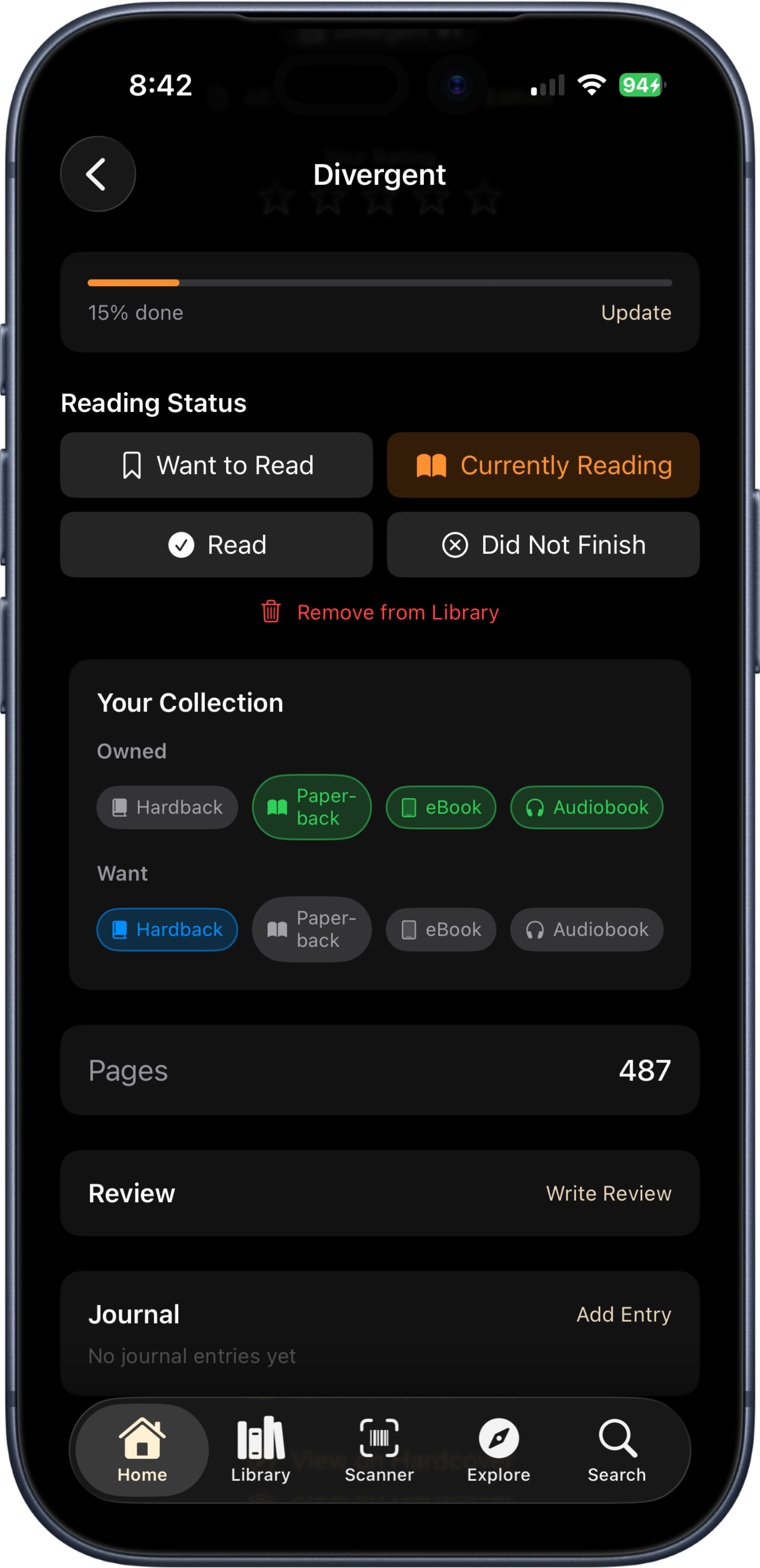
Hardback, paperback, eBook, and audiobook stay separate, so one title can reflect what you actually own instead of one vague status.
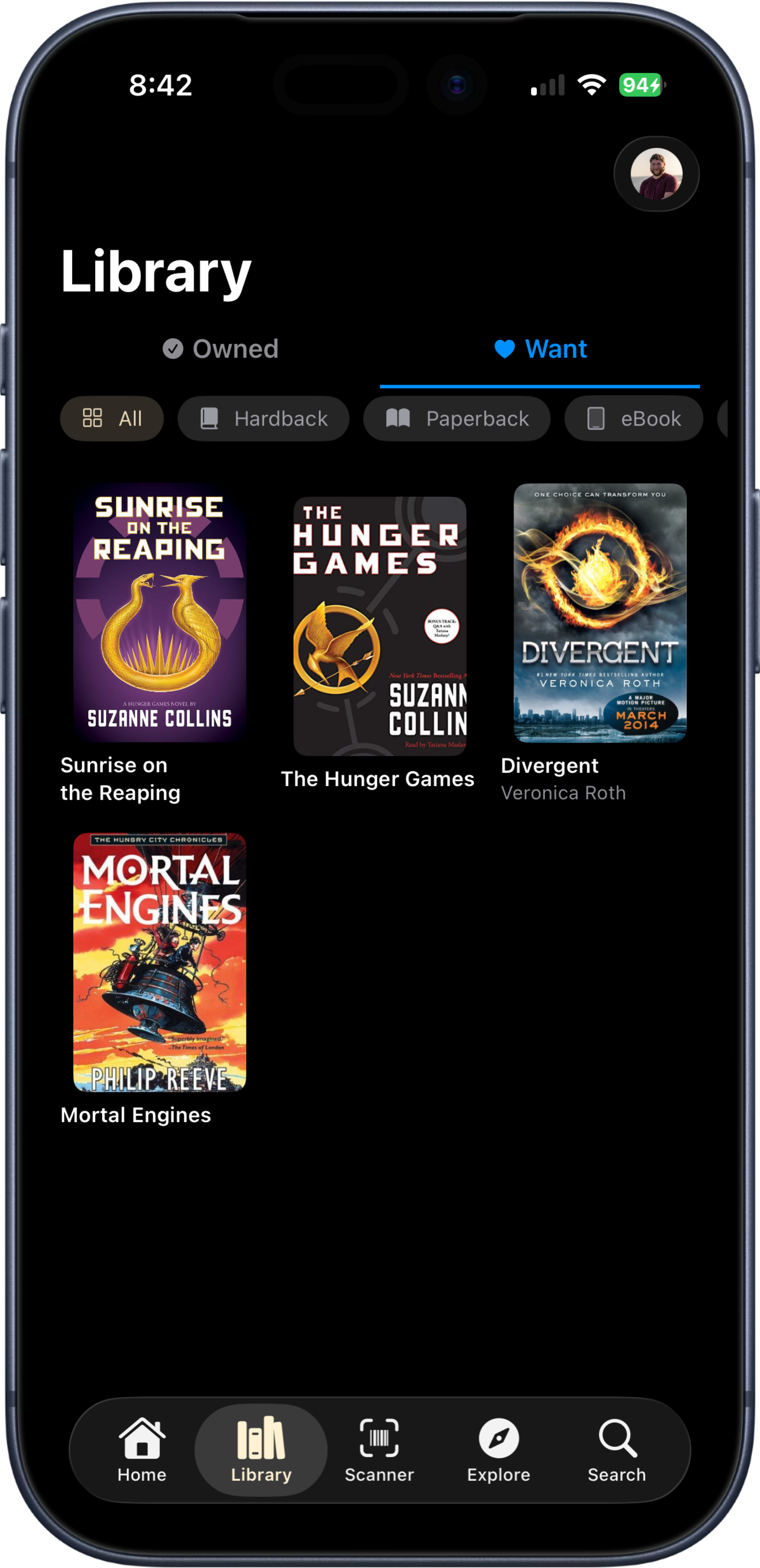
Once books are in, the library stays easy to scan. Owned and Want stay visible, and the collection still makes sense at a glance.
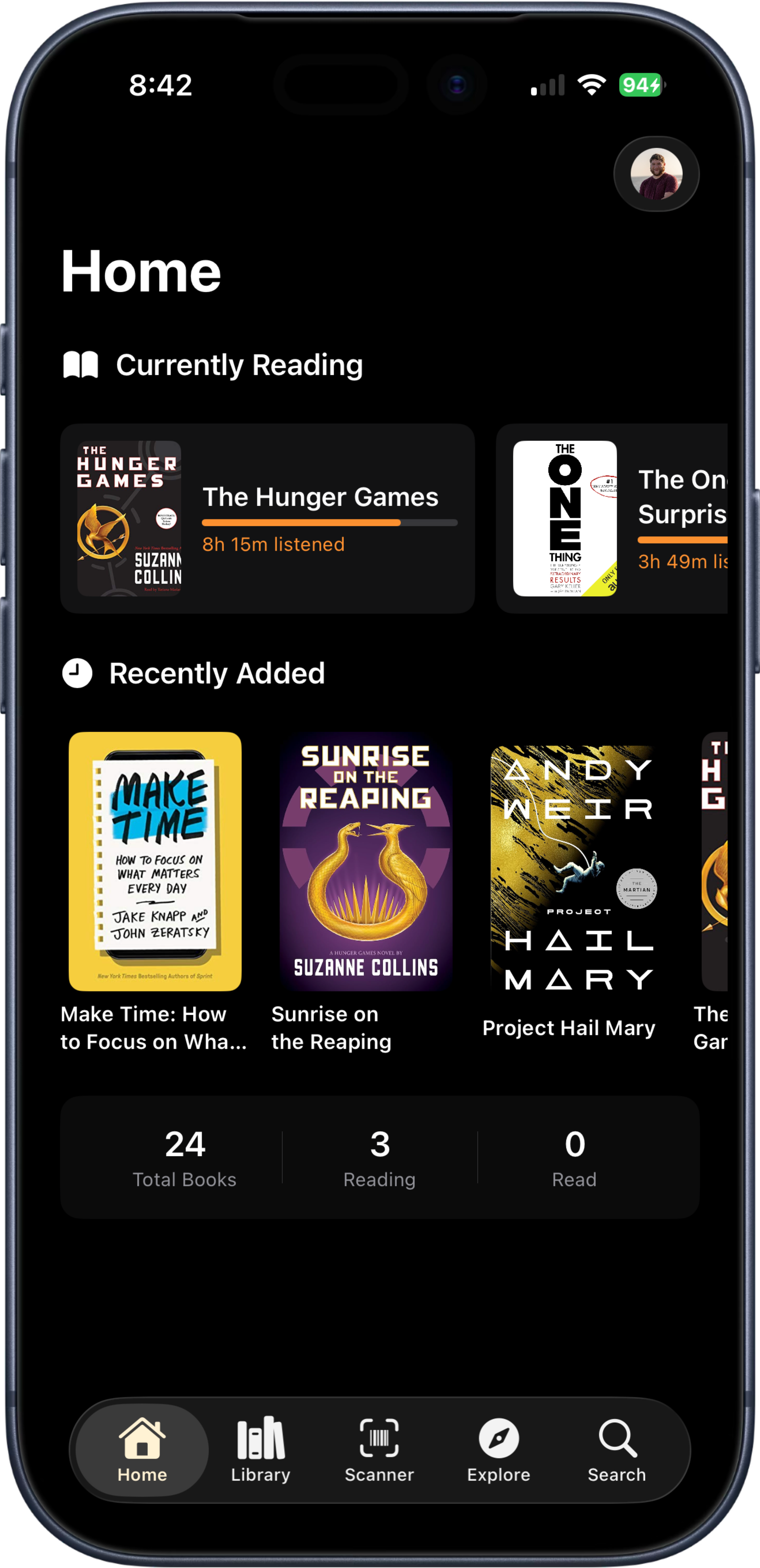
Recently added books, current reads, and quick stats make the app useful enough that keeping the shelf current does not feel like homework.
Paste in your Hardcover API token once and let Dustjacket make sure it works.
Owned and Want get split across hardback, paperback, eBook, and audiobook right from the start.
Add books quickly, pick the right format, and stop trying to keep all of this straight in your head.
Yes. That is one of the main reasons I built Dustjacket. A book can be owned in one format and still be wanted in another.
Dustjacket keeps each format separate, so hardback, paperback, eBook, and audiobook can all live under the same title without getting mashed together.
Because generic lists flatten everything down too much. Dustjacket is built for the more specific question: what do I own already, and what version do I still want?
Hardcover does not currently have a built-in third-party sign-in flow for apps like this, so Dustjacket uses the API token you generate from your Hardcover account settings.
Yes. Your library stays available locally, and pending changes wait until your phone reconnects.
No. Dustjacket is my independent app and is not affiliated with or endorsed by Hardcover or Apple.
Whether you have a large library or not, you probably already know the problem--what books do I have in what format? Dustjacket just gives that logic a proper home and makes it fast enough to actually keep using.